Showing posts with label Microsoft. Show all posts


This is the most complete release which includes all available versions of Windows 7 (except "N" and "E" editions) : Windows 7 Home Basic 32/64-bit, Windows 7 Starter 32-bit,  Windows 7 Home Premium 32/64-bit, Windows 7 Professional 32/64-bit, Windows 7 Enterprise 32/64-bit, Windows 7 Ultimate 32/64-bit.
Windows 7 Ultimate SP1 All editions 32-64 bit
   

Windows 7 Starter
*********************
Windows 7 Starter is the edition of Windows 7 that contains the fewest features. Windows 7 Starter is only available in a 32-bit version. The Windows Aero theme is not included in this version. The desktop wallpaper and Visual Styles (Windows 7 Basic) are not user-changeable. Its functions are very limited. Microsoft originally intended to restrict the edition to running 3 simultaneous applications, but this limitation was dropped. This edition is available pre-installed on computers, especially netbooks, through system integrators or computer manufacturers using OEM licences.


Windows 7 Home Basic
**********************
Windows 7 Home Basic is available in emerging markets such as Argentina, Brazil, Chile, the People's Republic of China, Colombia, India, Pakistan, Panama, Philippines, Mexico, Russia, Thailand, and Turkey. It is not available in developed technology markets countries including in Western and Central Europe, North America, Hong Kong, Australia and Saudi Arabia. Some Aero options are excluded along with several new features. Home Basic, along with other editions sold in emerging markets, include geographical activation restriction, which requires users to activate Windows within a certain region or country.

Windows 7 Home Premium
**********************
This edition contains features aimed at the home market segment, such as Windows Media Center, Windows Aero and multi-touch support.

Windows 7 Professional
**********************
This edition is targeted towards enthusiasts and small-business users. It includes all the features of Windows 7 Home Premium, and adds the ability to participate in a Windows Server domain. Additional features include operating as a Remote Desktop server, location aware printing, Encrypting File System, Presentation Mode, Software Restriction Policies (but not the extra management features of AppLocker) and Windows XP Mode. Like Enterprise, Microsoft will support this edition until 2020.

Windows 7 Enterprise
**********************
This edition targets the enterprise segment of the market and is sold through volume licensing to companies which have a Software Assurance contract with Microsoft. Additional features include support for Multilingual User Interface (MUI) packages, BitLocker Drive Encryption, and UNIX application support. Not available through retail or OEM channels, this edition is distributed through Microsoft Software Assurance (SA). As a result it includes several SA-only benefits, including a license allowing the operating of diskless nodes (diskless PCs), the running of multiple virtual machines, and activation via VLK. Like Professional, Microsoft will support this edition until 2020.

Windows 7 Ultimate
**********************
Windows 7 Ultimate contains all of the same features as Windows 7 Enterprise, but unlike the Enterprise edition, it is available to home users on an individual license basis. Windows 7 Home Premium and Windows 7 Professional users are able to upgrade to Windows 7 Ultimate for a fee using Windows Anytime Upgrade if they wish to do so. Unlike Windows Vista Ultimate, the Windows 7 Ultimate edition does not include the Windows Ultimate Extras feature or any exclusive features as Microsoft had stated. However, even though it is the consumer equivalent to Enterprise, Microsoft will only support Ultimate until 2015, as per Home Premium.

"N" and "E" editions
E editions
The features in the E Editions are the same as their equivalent full versions, but do not include Internet Explorer. The cost of the E Editions are the same as the full versions, as Internet Explorer can be downloaded without charge from Microsoft for the E Editions.
N editions
The features in the N Editions are the same as their equivalent full versions, but do not include Windows Media Player. The cost of the N Editions are the same as the full versions, as Windows Media Player can be downloaded without charge from Microsoft for the N Editions.

Service Pack 1
Microsoft released the first official service pack for Windows 7 on February 22, 2011. This is an important update that includes previously released security, performance, and stability updates for Windows 7. SP1 also includes new improvements to features and services in Windows 7, such as improved reliability when connecting to HDMI audio devices, printing using the XPS Viewer, and restoring previous folders in Windows Explorer after restarting.

Windows 7 Service Pack 1 is an update that does the following :
- Helps keep PCs supported.
- Provides ongoing improvement to the operating system, by including previous updates delivered over Windows Update as well as continuing incremental updates to the Windows 7 platform based on customer and partner feedback.
- Makes it easy for organizations to deploy a single set of updates.

Changes specific to Windows 7

Additional support for communication with third-party federation services

Additional support has been added to allow Windows 7 clients to effectively communicate with third-party identity federation services (those supporting the WS-Federation passive profile protocol). This change enhances platform interoperability, and improves the ability to communicate identity and authentication information between organizations.

Improved HDMI audio device performance

A small percentage of users have reported issues in which the connection between computers running Windows 7 and HDMI audio devices can be lost after system reboots. Updates have been incorporated into SP1 to ensure that connections between Windows 7 computers and HDMI audio devices are consistently maintained.

Corrected behavior when printing mixed-orientation XPS documents

Prior to the release of SP1, some customers have reported difficulty when printing mixed-orientation XPS documents (documents containing pages in both portrait and landscape orientation) using the XPS Viewer, resulting in all pages being printed entirely in either portrait or landscape mode. This issue has been addressed in SP1, allowing users to correctly print mixed-orientation documents using the XPS Viewer.


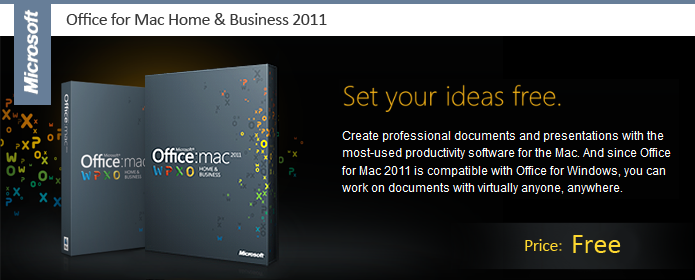
Get the tools to manage business and life, on your terms. Create professional-quality documents, spreadsheets and presentations. Work when and where you want from any computer with a browser and the Office Web Apps. And communicate and share with virtually anyone with the world's most reliable Office for Windows compatibility. Designed and licensed for more advanced personal use, home-based work, and small business. Includes Outlook for Mac 2011.

Microsoft Office 2011 SP1 for MAC
   

Home & Business includes:
  • Word - Share your ideas through great-looking documents.
  • Powerpoint - Build and broadcast professional presentations.
  • Excel - Analyze, organize, and share your data and lists.
  • Outlook - Connect with integrated e-mail and calendar tools.
  • 1 year of Tech Support Included
What's New in Office 2011:
Outlook Integration - Stay in sync while you stay in touch.
Microsoft Outlook for Mac is the all-in-one application for e-mail, calendars, contacts, and tasks. Collapse multiple e-mail threads into one quick view. See all your inboxes in a single view. And manage your workload from virtually anywhere.

Office Web Apps - Work online, from virtually anywhere.
Windows Live SkyDrive lets you store and edit your documents and presentations online, for free. Then, use Office Web Apps to access your documents from almost any computer. Just use your Web browser 1 to sign in to skydrive.com, and go to work. Now you can be productive wherever life takes you.

Coauthoring - Collaborate with virtually anyone.
Coauthor documents in real time or add audio and video to chats-Office for Mac 2011 gives you better ways to work together. And it's compatible with Office for Windows, so you can share with almost anyone.

Ribbon - Perform common tasks - fast
The Office for Mac ribbon and toolbar put commonly used commands at your fingertips. Discover advanced options that automatically change to match the application and function you're in. Office for Mac even has the same menu interface of most Mac applications, so you can find what you need easily.

Template Gallery - Look more professional with every document.
With the new Template Gallery in Office for Mac, it's easy to produce great-looking, consistent documents. Templates appear in a large format that allows you to see layouts, graphics, and fonts at a glance. You can even edit right in the Gallery to quickly create families of customized documents.

Photo Editing - Easily edit and correct photos in just a few clicks.
Office for Mac 2011 gives you a full suite of media editing options, including in-document photo finishing, color-corrections, background removal, and more.

Full Screen View - Get, and work in, the big picture.
Maximize the on-screen space for reading and writing documents. Focus easily on the task at hand by blocking out all other windows and menus on your screen.

Broadcast Slide Show - Share with anyone, anywhere.
PowerPoint for Mac 2011 gives you the ability to present to multiple people remotely, improving communication and reducing travel costs. Broadcast your presentation to anyone on the Web from anywhere, with minimal startup time and no special software required.

Sparklines - Spot trends in your data.
In Excel for Mac 2011, Sparklines give you the ability to create small charts in a single cell. That way, you see the data in the smallest details-while never losing sight of the big picture.

Visual Basic - Get automated.
Increase efficiency and save time by automating repetitive tasks in Word, PowerPoint, and Excel. New features include IntelliSense, which uses auto-completion for the symbol names the programmer is typing. Get your documents coded and out the door faster.

Reorder Objects - Manage layers easily.
Reorder layers of text, photos, and graphics quickly. Create richer documents than ever, and rearrange them without cumbersome copying and pasting. Easily manipulate the layering of all shapes on any page.

System Requirement:
  • A Mac computer with an Intel processor
  • Mac OS X version 10.5.8 or later
  • 1 GB of RAM recommended
  • 1.8 GB of available hard disk space
  • HFS+ hard disk format (also known as Mac OS Extended or HFS Plus)
  • 1280 x 800 or higher resolution monitor
  • DVD drive or connection to a local area network (if installing over a network)
  • Safari 5 or later recommended 


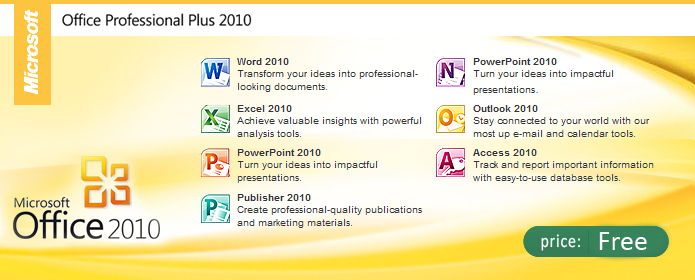
This is the Full version of Microsoft Office Professional Plus 2010 free download. This is the full legit version, you can choose between the x64 or the x32 bit version.
Product Features
- Updates to Excel, PowerPoint, Word and Outlook.
- Includes 2010 versions of Word, Excel, PowerPoint, OneNote, Outlook, Publisher and Access.
- Microsoft Office Professional 2010 gives you the tools to manage your business, connect with customers and organize your life.
- Access 2010 is your database expert?ideal for tracking inventory and customer information with templates designed to make the process simple.
- Create engaging brochures, newsletters and emails with professional designs available on Publisher 2010.
For businesses and individuals who demand the best, Office Professional 2010 has what you need to communicate, create, and share documents from virtually anywhere. Get top-of-the-line tools from the programs Word, PowerPoint, Excel, OneNote, Outlook, Publisher, and Access. You'll also receive premium customer support for one year so that you can run your business and any project efficiently.

Microsoft Office 2010 Professional Plus x86 & X64 SP1
   

   Microsoft Office 2010 Permanent Activator
   

Use Office 2010 virtually anywhere: PC, phone, browser

*With Microsoft Office 2010, you can review and do minor editing on Word, Excel, PowerPoint, and OneNote 2010 documents, virtually anywhere, by using Office Web Apps from more locations on more devices.
*Keep your people productive on the go. Office 2010 lets you access and edit documents stored on a server while you’re offline with SharePoint Workspace 2010, and then automatically syncs these changes when you’re back online. So you stay productive while on the go.
*Support your employees, regardless of location or device. Office 2010 saves you time and money by helping you deploy and manage Office on the PC, the smartphone, and the Web, all from within familiar Microsoft System Center tools.

Bring ideas to life
*Create and deliver presentations that help you stand apart from the competition. Office 2010 puts you in the director’s chair, enabling you to create dazzling digital content in PowerPoint 2010 without the need for expensive third-party tools. And you can broadcast your presentation to anyone with a browser, even if they don’t have PowerPoint.
*Stay organized and on top of your work. OneNote 2010 pulls together everything from daily sales figures to digital images, so all the information you need is easily accessible. You can also create side notes that stay on your screen as you move between different programs, so you can keep your thoughts organized as you multi-task. This helps you stay organized while saving you time.
*Turn intuition into insights to make quicker and more informed business decisions. Excel 2010 provides tools for improved data visualization, which can give you key insights into business processes and tailor messaging and products to best meet customer needs. Whole trends can be conveyed in a single cell with Sparklines. And there are more options in styles and icons in conditional formatting, as well as the ability to highlight specific items like such as “max/min” in a single click.

Work better together
*Collaboration means better work and beating deadlines. Co-authoring allows multiple people to work on the same document at the same time, such as an RFP, to respond faster and meet deadlines. With Office 2010, several team members can work on Word 2010 and PowerPoint 2010 documents simultaneously and see who else is working on which sections, regardless of location.
*Reduce travel costs and spend less on third-party conferencing tools. Office 2010 helps your people save time and money by providing one-click communication through unified communications technology, and real-time document sharing from within Word, PowerPoint, and Excel 2010 without the need to switch applications. This makes virtual meetings more effective so team members can get more done without being in the same room. 

Powered by Blogger.